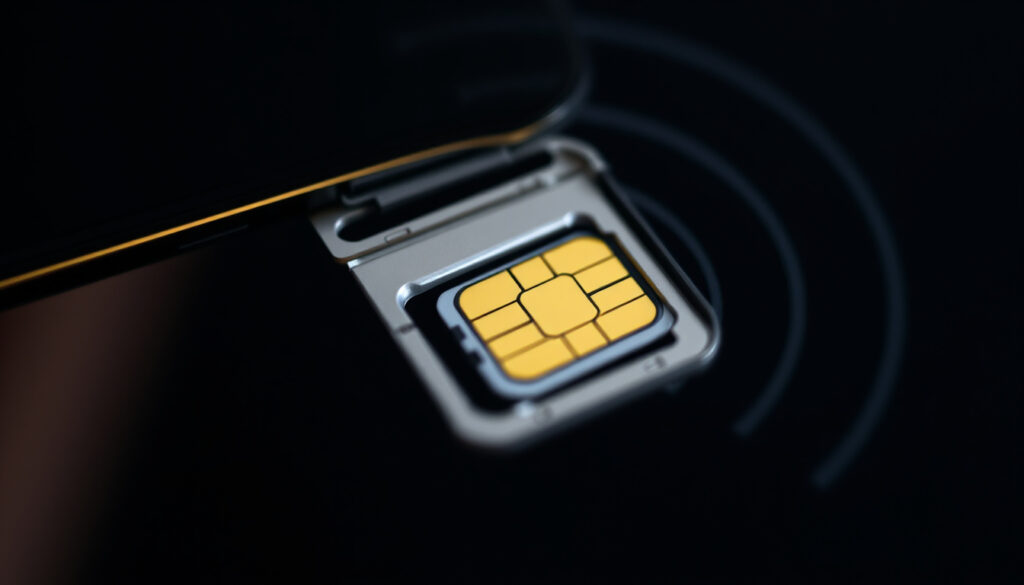
What Is a SIM Card? How It Works, Pros and Cons
You’ve probably held a tiny plastic card in your hand without thinking much about it. That small chip is what connects your phone to the cellular network—and without it, you can’t make calls, send texts, or use mobile data.
Global SIM card users: Over 7 billion active SIM cards worldwide as of 2023 (GSMA – global mobile industry body) ·
First SIM card introduced: 1991 by Giesecke & Devrient (Wikipedia – detailed history) ·
Types of SIM sizes: Standard, Micro, Nano, and eSIM ·
eSIM adoption rate: Estimated 1.2 billion eSIM-enabled devices by 2025 (Juniper Research – telecom analytics)
Quick snapshot
- Stores your unique subscriber identity (IMSI) (Wikipedia – technical definition)
- Authenticates you to the network for calls, texts, and data (Airtel – carrier explainer)
- Portable between compatible devices (NordVPN – security & tech guide)
- Exact lifespan varies by carrier and usage (CSG – telecom software provider)
- Whether the industry will ever move to eSIM-only remains uncertain (ZIM Connections – travel tech)
- 1991 – First SIM card produced by Giesecke & Devrient (Wikipedia – history)
- 2016 – First eSIM specifications finalized (Airtel – eSIM timeline)
- 2025 – eSIM supported by most major carriers (CSG – industry data)
- eSIM adoption expected to reach 1.2 billion devices by 2025 (Juniper Research – forecast)
- More smartphones ditching the physical slot (NordVPN – tech trends)
| Metric | Detail |
|---|---|
| Full name | Subscriber Identity Module |
| Introduced | 1991 (Wikipedia – origin) |
| Sizes | Standard, Micro, Nano, and eSIM |
| Main function | Identifies and authenticates you on a cellular network (Airtel – function) |
| Portability | Move your number to any compatible, unlocked device (NordVPN – portability) |
What exactly does a SIM card do?
At its most basic, a SIM card is a tiny computer that securely stores your International Mobile Subscriber Identity (IMSI) – a unique 15-digit number that identifies you to the network (Wikipedia – IMSI description). It also holds an authentication key that lets the carrier verify you’re allowed to use its towers.
How SIM cards connect to a cellular network
When you turn on your phone, the SIM card talks to the nearest tower and sends your IMSI and a signed response to the carrier’s authentication centre. If the signature matches, you’re granted access to voice, SMS, and data services. Think of it as a digital key-and-lock system: the SIM is the key, the network is the lock (T-Mobile – “key to the network” analogy).
What information is stored on a SIM card
- IMSI and authentication key (Ki) – never leaves the card
- Your phone number (MSISDN)
- Service provider details and network settings
- Contacts – if you saved them to the SIM
The card cannot hold photos, apps, or large files – it’s only a few kilobytes of memory (CSG – storage limits).
A SIM card is the single component that ties your identity to a carrier. Without it, your phone is just a Wi-Fi tablet.
The implication: every time you swap phones, the SIM brings your number and plan along – but only if the new device is unlocked or on the same network.
Does a phone work without a SIM card?
Yes – but only in limited ways. A phone without a SIM can still connect to Wi-Fi, run apps, play music, and take photos. However, it cannot make cellular calls, send SMS, or use mobile data.
Can you use Wi‑Fi without a SIM card?
Absolutely. Wi-Fi and Bluetooth are independent of the cellular radio, so you can browse the internet, stream video, and use messaging apps like WhatsApp over Wi-Fi as long as you’ve already activated the account (NordVPN – Wi‑Fi without SIM).
What functions are available without a SIM card?
- Wi-Fi internet access
- Offline apps and games
- Camera and media player
- Emergency calls to 911 (in many countries) (FCC – emergency calling without SIM)
A phone without a SIM is still a powerful offline device, but it’s cut off from the cellular world. For travellers, that means you can use Wi-Fi only; for everyday use, you need a SIM (or eSIM) to stay connected on the go.
The catch: while a phone can work without a SIM for Wi-Fi and offline tasks, all cellular-dependent services are blocked – and that includes receiving SMS verification codes for banking and apps.
What happens if you take out your SIM card and put it in another phone?
Your phone number, account plan, and data allowance move with the SIM – instantly. You don’t need to call your carrier or re-register.
Does your phone number transfer with the SIM card?
Yes. The SIM card stores your MSISDN (phone number) and carrier subscription data, so the new phone will display your number and work on your plan (Airtel – number transfer).
Will your contacts and data move with the SIM card?
- SIM-stored contacts: Yes – they move.
- Phone-stored contacts, photos, apps: No – those stay on the old device.
Before swapping, check whether the new phone is unlocked or on the same carrier, otherwise the SIM will be rejected (NordVPN – compatibility).
The pattern: a SIM swap is the fastest way to move your line, but it only transfers your cellular identity – not your personal data.
Physical SIM vs eSIM: what are the differences in pros, cons, and uses?
The table below compares the two technologies across real-world factors that matter when choosing a phone or plan.
Five key differences, one pattern: eSIM trades physical convenience for digital flexibility, but each has clear trade-offs.
| Aspect | Physical SIM | eSIM |
|---|---|---|
| Form factor | Removable plastic card (standard, micro, or nano) | Embedded chip, soldered into the device |
| Switching devices | Pull card out and insert into another phone (Airtel – easy swap) | Requires carrier app/QR code; may need internet (ZIM Connections – eSIM activation) |
| Number of profiles | One SIM = one profile (unless dual‑SIM phone) | Can store multiple profiles, usually one active at a time (CSG – multiple profiles) |
| Compatibility | Nearly all phones and carriers (CSG – wide compatibility) | Only newer phones and supported carriers |
| Travel convenience | Buy local SIM when abroad; need to swap (Travel Like Anna – local prepaid) | Activate a plan before arriving – no physical swap (ZIM Connections – travel prepaid) |
| Risk of loss/theft | Card can be lost or stolen (NordVPN – physical risk) | No physical card to lose, but SIM-swap scams possible (CSG – eSIM security) |
| Security | Vulnerable to cloning, but can be removed to cut access | Harder to clone; not physically removable for privacy (CSG – security comparison) |
The trade-off: physical SIMs are universally compatible and easy to swap, but eSIMs offer built-in redundancy for travellers and reduce the risk of losing a tiny card.
How long does a SIM card last?
Most SIM cards work reliably for 2 to 10 years, depending on usage, storage conditions, and carrier policies (CSG – lifespan range).
Do SIM cards expire?
Carriers may deactivate a SIM that hasn’t been used for an extended period – commonly 6 to 12 months of inactivity. The card itself doesn’t “expire” chemically, but the carrier can recycle the number (Airtel – deactivation rules).
Can a SIM card degrade over time?
Yes. Physical wear from repeated insertion/removal, exposure to moisture, or electrical damage from static discharge can shorten its life. eSIMs, being embedded, don’t suffer physical wear (NordVPN – durability).
The catch: while physical SIMs can last a decade, the real limit is often carrier policy and device obsolescence – not the chip itself.
Pros and cons of physical SIM cards vs eSIMs
Upsides
- Physical SIM: instant device swap without internet (NordVPN – quick swap)
- Physical SIM: works in all phones, even older models
- eSIM: multiple profiles on one device (CSG – multi-line)
- eSIM: no card to lose, harder to clone (CSG – security)
Downsides
- Physical SIM: can be lost, damaged, or stolen (NordVPN – loss risk)
- Physical SIM: limited to one active profile per card
- eSIM: not all carriers/phones support it (ZIM Connections – compatibility limits)
- eSIM: profile transfer can be more complex (CSG – transfer complexity)
What’s confirmed and what’s unclear
Confirmed facts
- SIM card stores the IMSI and authentication key (Wikipedia – stored data)
- Phone without SIM can use Wi‑Fi and place emergency calls (FCC – rules)
- Switching SIM to unlocked phone moves your number and plan (Airtel – migration)
- Physical SIM and eSIM serve the same primary function (CSG – core function)
What’s unclear
- Exact lifespan varies widely by carrier and environment (CSG – lifespan variance)
- Whether the industry will ever drop physical slots entirely is uncertain (ZIM Connections – future outlook)
Quotes on SIM card technology
“A SIM card is an integrated circuit that securely stores the subscriber identity module and authenticates the subscriber to the network.”
Wikipedia – technical definition
“Think of your SIM card as the key that unlocks the door to your cellular network.”
“SIM cards come in three sizes: standard, micro, and nano – and now there’s eSIM, which is soldered inside the phone.”
For travellers and dual‑line users, the choice between physical SIM and eSIM comes down to one thing: are you willing to trade instant swappability for the convenience of digital profiles? With eSIM coverage still patchy in some regions and older phones lacking support, a hybrid approach – one physical SIM and one eSIM – currently offers the best of both worlds.
Related reading: What Is a VPN Kill Switch – How It Works and Why You Need It
For travelers wondering how to stay connected abroad, this guide to New Zealand SIM cards breaks down the best local options and how they work with your phone.
Frequently asked questions
What is the difference between a SIM card and a memory card?
A SIM card identifies you to a cellular network; a memory card (microSD) stores files like photos and music. They are not interchangeable and fit in different slots.
Can I use a SIM card from another country?
Yes – if your phone is unlocked. A foreign SIM will give you a local number and usually cheaper data rates than roaming.
Do all phones use the same size SIM card?
No. SIM sizes have shrunk over time: Standard (1990s), Micro (2010), and Nano (2012). Many newer phones use eSIM only.
What is a PUK code for a SIM card?
A Personal Unblocking Key (PUK) is an 8-digit code that lets you unlock a SIM after you’ve entered the wrong PIN three times. Contact your carrier to get it.
How do I activate a new SIM card?
Insert the SIM and turn on your phone. Most carriers require a one-time SMS activation or an online registration step.
Can I have two phone numbers on one SIM card?
A single physical SIM usually holds one number, but some carriers offer multi-line services using eSIM profiles or dual‑SIM phones.
What should I do if my SIM card is lost or stolen?
Contact your carrier immediately to suspend the line and order a replacement SIM. This prevents someone from using your number.
Does a SIM card store photos or apps?
No. SIM cards have very limited memory (around 64–256 KB) and only store identity data and a few contacts. Photos and apps live in the phone’s internal storage.
More related posts
 Cape Breton Regional Hospital – Location, Services, Wait Times, Hours
 My Canada Life at Work – Guide to Login, Registration and Benefits
 How Old is Bryan Adams? Age 65, Birthday & Bio Facts
 Maya Jama: Biography, Net Worth, Partner, Career (2024)
 Fruits of the Holy Spirit – 9 Qualities from Galatians
 How to Play Backgammon: Rules for Beginners Guide
 Soup Zen Hot Pot: Menu, Location, Reservations & Reviews
